
How I switch from custom backend to firebase to appwrite
- backend
- firebase
- appwrite
- web-development
In the ever-evolving landscape of web development, choosing the right backend can be as critical as picking the frontend framework. My journey has been a winding road, starting from the raw power of custom Node.js servers, taking a detour through the convenient lands of Firebase, and finally arriving at the robust, open-source shores of Appwrite.
Here is the story of why I moved, what I learned, and how I did it.
Table of Contents
- 1. The Custom Backend Era: Node.js & Express
- 2. The Move to Firebase: Speed at a Price
- 3. Enter Appwrite: The Best of Both Worlds
- 4. Deep Dive: Self-Hosting Appwrite
- The Migration Process
- Conclusion
1. The Custom Backend Era: Node.js & Express
Like many developers, I started with the "MERN" stack. Building everything from scratch gave me a sense of absolute control. I was the architect of every single byte that flowed through my system.
The Pros
- Flexibility: I could structure my database (MongoDB) exactly how I wanted. No schema constraints, no rules.
- Learning: Writing authentication middleware, handling JWTs, and managing sessions taught me how the web really works. I understood HTTP status codes, headers, and security vulnerabilities intimately.
The Cons
- Maintenance Fatigue: Security patches, server updates, and scaling were all on me. I spent more time configuring Nginx and debugging SSL certificates than building features.
- Reinventing the Wheel: Writing the same "Forgot Password" logic, email verification flows, and file upload handlers for every new project became tedious. I wanted to build products, not just configure servers.
// The code I wrote a thousand times
app.post('/login', async (req, res) => {
  const { email, password } = req.body;
  // ... validate, hash, sign token ...
  res.json({ token });
});
2. The Move to Firebase: Speed at a Price
To speed up development, I switched to Firebase. It felt like magic. Authentication was a single line of code. The Realtime Database and Firestore made syncing data effortless.
Why I Loved It
- Speed: I could ship a prototype in a weekend. The client-side SDKs were incredibly powerful.
- Ecosystem: Hosting, Functions, and Auth all played nicely together. It was a cohesive "Google" experience.
Why I Left
- Vendor Lock-in: I was building my house on Google's land. If they changed pricing or deprecated a feature, I was stuck.
- Cost Predictability: As my data grew, the read/write costs became a concern. A poorly written loop on the frontend could cost me hundreds of dollars in read operations.
- Complex Queries: Firestore is great for simple lookups, but complex filtering often required hacky workarounds. Doing a simple "OR" query or full-text search often meant integrating third-party services like Algolia, defeating the purpose of an "all-in-one" solution.
3. Enter Appwrite: The Best of Both Worlds
I was looking for something that offered the speed of Firebase but the control of a custom backend. That's when I found Appwrite.
Starting with Appwrite Cloud
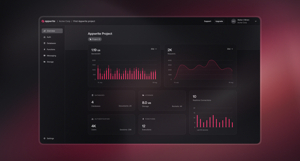
My journey with Appwrite didn't start with self-hosting. I initially signed up for Appwrite Cloud. It offered the same "serverless" experience as Firebase—no infrastructure to manage, just an API endpoint and a dashboard. It was the perfect way to test the waters without committing to managing a server.
The Switch to Self-Hosted
As I grew more comfortable with the platform, I realized I wanted more control. I wanted to own my data completely and run my backend on my own terms. So, I spun up a Virtual Machine (VM), installed Docker, and migrated my project from Appwrite Cloud to my own self-hosted instance.
Why Appwrite?
- Open Source: I can self-host it on a $5 DigitalOcean droplet or use their cloud version. No more lock-in.
- SQL Support: Unlike Firestore's NoSQL-only approach, Appwrite allows for more structured data relationships while still offering a JSON-like API.
- Storage: Built-in file storage that is easy to manage.
- Functions: Support for multiple languages (Node, Python, PHP, etc.) for server-side logic.
4. Deep Dive: Self-Hosting Appwrite
Moving to a self-hosted instance was surprisingly smooth. One of the coolest things about Appwrite is that it's just a set of Docker containers. You can run it anywhere that supports Docker.
The Architecture
When you install Appwrite, you aren't just running one server. You are spinning up a microservices architecture orchestrated by docker-compose.
Here is a look at the key containers that make it work:
- Traefik (The Gatekeeper): This is the reverse proxy and load balancer. It handles all incoming traffic, routes it to the correct service, and automatically manages SSL certificates (Let's Encrypt).
- Appwrite Core: The brain of the operation. It handles the API requests, authentication logic, and business rules.
- MariaDB: The persistent storage for your project data (users, collections, documents). It gives you the reliability of SQL.
- Redis: Used for caching and managing the message queue. This ensures that your API remains fast and responsive.
- Realtime: A dedicated service for handling WebSocket connections, allowing you to subscribe to events (like a new document being created) in real-time.
- Worker (Resque): Background workers that handle tasks like sending emails, deleting files, or executing functions. This keeps the main API thread free.
- ClamAV: An open-source antivirus engine that scans every file uploaded to your storage buckets.
The docker-compose.yml
The entire setup is defined in a single docker-compose.yml file. This makes upgrades incredibly simple:
version: '3'

services:
  traefik:
    image: traefik:2.0
    # ... configuration
  appwrite:
    image: appwrite/appwrite:latest
    # ... configuration
  mariadb:
    image: mariadb:10.5
    # ... configuration
  redis:
    image: redis:5.0
    # ... configuration
To update Appwrite, you simply pull the latest images and restart the containers:
docker-compose pull
docker-compose up -d
This architecture gives you the power of a tech giant's infrastructure on your own laptop or VPS.
Scaling
One thing to note is that you can easily scale the stateless parts of Appwrite (like the API server) just by running:
docker-compose up -d --scale appwrite=3
However, keep in mind that the stateful parts like MariaDB and Redis require proper clustering for replication if you need high availability.
Documentation & Features
Appwrite provides beautiful documentation with complete flows for almost every platform. Whether you need Realtime Database capabilities or a simple REST API, it's all built-in and well-documented.
The Migration Process
Migrating wasn't just about moving data; it was about shifting mindsets.
Step 1: Authentication
Moving users was the trickiest part. Since I couldn't export password hashes easily from Firebase to Appwrite directly without users resetting them, I opted for a gradual migration strategy for some projects, or a hard reset for others.
Appwrite's SDK is very similar to Firebase's, making the code switch intuitive.
Firebase:
import { getAuth, signInWithEmailAndPassword } from "firebase/auth";

signInWithEmailAndPassword(auth, email, password)
  .then((userCredential) => {
    // Signed in
  });
Appwrite:
import { Client, Account } from "appwrite";

const client = new Client()
    .setEndpoint('https://cloud.appwrite.io/v1')
    .setProject('PROJECT_ID');

const account = new Account(client);

const promise = account.createEmailSession('[email protected]', 'password');

promise.then(function (response) {
    console.log(response); // Success
}, function (error) {
    console.log(error); // Failure
});
Step 2: Database
I mapped my Firestore collections to Appwrite Databases. Appwrite uses Databases -> Collections -> Documents, which maps 1:1 with Firestore's structure, but with the added benefit of defining a schema (attributes) for better data integrity.
Step 3: Storage
Moving images was straightforward. I wrote a script to download files from Firebase Storage and upload them to Appwrite Storage buckets using the server-side SDKs.
Conclusion
Switching to Appwrite gave me the peace of mind I was missing. I now have a backend that is powerful, scalable, and most importantly, mine.
If you are tired of writing boilerplate or afraid of vendor lock-in, give Appwrite a try. It might just be the sweet spot you are looking for.