
Understanding Node.js File Module
- Node.js
- JavaScript
- Backend Development
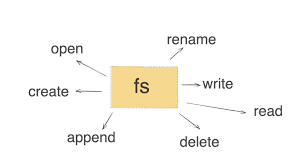
Node.js provides the File System (fs) module to handle file operations such as reading, writing, updating, and deleting files. This built-in module makes managing files in a backend application both simple and efficient.
Importing the File System Module
The fs module is included with Node.js, so there's no need for additional installation. Start by importing it into your application:
'''js
const fs=require('fs)
import fs from 'fs'; //for echmascript
'''
##key feature of fsmodule
- Synchronous and Asynchronous Methods
- Promises API
##Useful code snippets
- Read file
//asynchronous
fs.readFile('example.txt','utf-08',(err,data)=>{
if (err) throw err;
console.log(data)
})
//synchronous
const data=fs.readFilesync('example.txt','utf-08')
console.log(data);
//using Promises
async function readFile(){
 try {
    const data = await fs.readFile('example.txt', 'utf8');
    console.log(data);
  } catch (err) {
    console.error(err);
  }
}
readFile();
- Write in file
//async
fs.writeFile('example.txt', 'Hello, World!', (err) => {
  if (err) throw err;
  console.log('File written successfully!');
});
//sync
fs.writeFileSync('example.txt', 'Hello, World!');
- Append and Deleting to a file
//async append
fs.appendFile('example.txt', '\nThis is appended text.', (err) => {
  if (err) throw err;
  console.log('Data appended!');
});
//async delete
fs.unlink('example.txt', (err) => {
  if (err) throw err;
  console.log('File deleted!');
});
//sync delete
fs.unlinkSync('example.txt');
4.Renaming file
//async
fs.rename('oldname.txt', 'newname.txt', (err) => {
  if (err) throw err;
  console.log('File renamed!');
});